
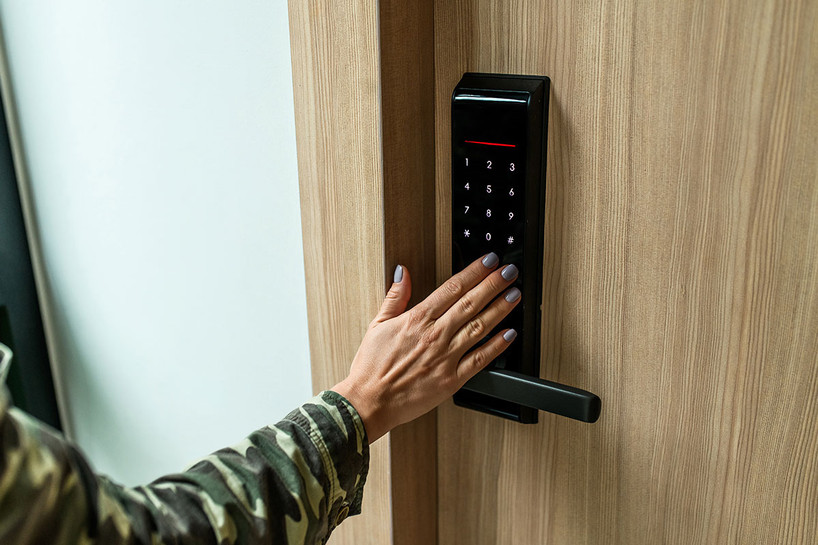
Lock technology has changed more in the last ten years than in the previous hundred. Traditional key-and-tumbler locks still have their place, but a growing number of homeowners and business owners are switching to modern lock styles that trade a metal key for a fingerprint, a keycard, or a smartphone. Each option solves a different problem: lost keys, copied keys, or simply the hassle of digging through your pockets at the front door. Below, we break down the three modern lock styles Lock Connection customers rely on most—biometric, RFID, and Bluetooth—along with a look at digital keypad locks, how each one works, and how to decide which is the right fit for your home or business.
Why Homeowners and Businesses Are Moving Away from Traditional Keys
A traditional lock is only as secure as its key, and keys have three built-in weaknesses: they can be lost, they can be copied without your permission, and they can't tell you who used them or when. Modern locks address all three. A biometric lock uses something you can't hand off or duplicate at a hardware store. An RFID lock can be deactivated in seconds if a card goes missing. A Bluetooth lock can log every entry and let you grant temporary access to a guest or contractor without ever cutting a spare key. None of this means traditional locks are obsolete—many homes still use a standard deadbolt as a backup—but for anyone managing a business, a rental property, or a household with a lot of moving parts, modern lock styles are worth a closer look.
It also helps to think about modern locks in two categories: locks for an exterior door, like a front entrance, and locks for what's inside the home or business, like a cabinet, drawer, safe, or supply closet. A single style doesn't have to do both jobs. Many of the households and businesses we work with land on one lock style for the front door and a different one for internal security, which is exactly why Lock Connection carries biometric, RFID, and Bluetooth hardware in both residential-door and cabinet-lock formats.
1. Biometric (Fingerprint) Locks
Biometric locks use a physical trait—almost always a fingerprint—as the credential that opens the lock. Because a fingerprint can't be borrowed, guessed, or left under a doormat, biometric locks are one of the hardest lock styles to compromise through the "key" itself.
How Biometric Locks Work
A small sensor scans and stores an encrypted map of an authorized fingerprint. When someone touches the sensor, the lock compares the scan to its stored records in a fraction of a second. Most units can store multiple fingerprints, so a household or small team can each be enrolled individually, and access can be revoked for one person without affecting anyone else.
Where Biometric Locks Make the Most Sense
Fingerprint locks are especially popular for securing what's inside the home or office rather than the front door itself. A biometric fingerprint padlock is a straightforward way to secure a gun case, a toolbox, or a storage locker without needing to run any wiring. In a business setting, pharmacies and medical offices use fingerprint access to limit who can reach controlled substances, and retailers use it to control access to high-value inventory. Because access can be added or removed instantly, biometric locks are also a good fit for offices with staff turnover, where reprogramming or replacing a lock every time an employee leaves simply isn't practical.
2. RFID Locks
RFID (radio-frequency identification) locks open when a card, fob, or tag broadcasting the correct signal is held near the reader. They're the same basic technology used in hotel key cards and office badge systems, and they've become one of the most common upgrades for both homes and businesses that want to move away from metal keys without adopting a full smart-home system.
How RFID Locks Work
Each RFID card or fob contains a small chip with a unique identifier. The lock's reader emits a low-power radio signal; when a card enters range, it responds with its ID, and the lock checks that ID against its approved list before releasing the bolt. Because there's no physical key to copy, the only way to "duplicate" access is to clone or reissue a card—and if a card is ever lost, it can be removed from the approved list in seconds rather than requiring a full lock change.
Where RFID Locks Make the Most Sense
RFID is a strong choice anywhere access needs to be granted or revoked frequently. Businesses with a large staff use RFID on cabinets, supply rooms, and equipment lockers so that access can be turned off the moment someone leaves the company, without touching the hardware at all. On the residential side, Lock Connection's RFID Smart Residential Invisible Door Lock is built for indoor applications like a hidden bookcase door or secret-room entrance, opening with either a 13.56 MHz RFID card or the included Bluetooth fob. For furniture and cabinetry, Lock Connection's full line of RFID locks for wood and glass doors covers everything from concealed drawer locks to showcase and display-case applications, all without visible hardware on the outside of the piece.
3. Bluetooth Locks
Bluetooth locks connect directly to a smartphone app, letting you unlock a door or cabinet from your phone instead of a physical key or card. Because the connection is app-based, Bluetooth locks tend to offer the most flexibility of the three styles here, including the ability to share access with someone else temporarily.
How Bluetooth Locks Work
Once paired with the companion app, a Bluetooth lock recognizes an authorized phone within range—typically up to about 25 feet—and unlocks with a tap or, on some models, automatically as you approach. Because the credential lives in the app rather than on a physical object, sharing access with a family member, employee, or short-term guest can be as simple as sending them a single-use or time-limited code instead of cutting a spare key.
Where Bluetooth Locks Make the Most Sense
On the front door, a Bluetooth residential deadbolt gives you app-based entry while still including a physical key override, so you're never locked out if your phone dies. For cabinets and drawers, Bluetooth locks are popular for securing supply cabinets or filing cabinets that hold sensitive information, since a manager can control access and see who has opened the cabinet and when. Because Bluetooth locks depend on a paired device, they're best suited to households and businesses that are comfortable managing access through an app rather than a physical card or key.
A Fourth Option Worth Knowing: Keypad and Digital Panel Locks
If biometric, RFID, and Bluetooth locks all sound like more technology than you need, a digital keypad lock is a simpler middle ground. Lock Connection's digital panel residential deadbolt opens with a PIN code punched into the keypad, and still includes physical keys as a backup. There's no app to manage and no cards to hand out—just a code you can change whenever you want, which makes it a practical option for households that want to leave the physical key behind without adopting a full smart-lock ecosystem.
Comparing Biometric, RFID, Bluetooth, and Keypad Locks
All four modern lock styles solve the same core problem—reducing your reliance on a key that can be lost or copied—but they do it in different ways, and each has trade-offs worth understanding before you buy.
- Biometric locks offer the strongest link between the credential and the person, since a fingerprint can't be handed to someone else. The trade-off is that each user has to be enrolled individually, which can be slower to set up for a large group.
- RFID locks make it fast to add or remove access for a group of people, and they don't rely on a smartphone or battery-powered app. The trade-off is that a card or fob can still be physically lost, even though it can't be copied like a traditional key.
- Bluetooth locks offer the most flexibility for sharing temporary access remotely, since credentials live in an app rather than on a physical object. The trade-off is a dependency on a charged phone and, on some models, iOS-only compatibility, so it's worth checking device support before you buy.
- Keypad locks are the simplest to use day to day, since there's nothing to carry and nothing to charge. The trade-off is that a shared PIN code offers less individual accountability than a fingerprint, card, or app credential.
Many households and businesses end up mixing styles—for example, a Bluetooth or keypad deadbolt on the front door, paired with a biometric or RFID lock on a gun safe, filing cabinet, or supply room inside.
Tips for Choosing and Installing Modern Lock Styles
A few practical points can save you a return trip to the hardware store:
- Check the operating environment. Lock Connection's residential deadbolts are rated for use between -10°C and 45°F (14°F to 113°F), which covers most climates, but it's worth confirming before installing a lock somewhere unusually hot or cold, like an uninsulated garage.
- Plan for battery changes. Most electronic residential locks run on standard AA or AAA batteries and will alert you well before they die, but it's good practice to keep spares on hand and test the lock periodically.
- Match the lock to the door. An RFID or biometric lock designed for a cabinet or drawer isn't a substitute for a residential deadbolt on an exterior door. Use the right category of lock for the application, and always confirm indoor-only products, like the RFID Smart Residential Invisible Door Lock, are installed where they're intended to be used rather than on an exterior entrance.
- Keep a backup credential. Look for models that include a physical key override or a backup access method, so a dead battery or a forgotten phone doesn't leave you locked out.
- Think about who needs access, and how often it changes. If you're regularly adding or removing people—employees, tenants, or house guests—RFID and Bluetooth locks make that easy. If the list of authorized users rarely changes, a biometric or keypad lock may be all you need.
Frequently Asked Questions
Are biometric locks more secure than RFID or Bluetooth locks?
Each style has a different security strength. Biometric locks make it essentially impossible to hand off or copy a credential, RFID locks make it fast to deactivate a lost card, and Bluetooth locks let you control and monitor access remotely. The "most secure" option depends on what risk matters most to you—a lost credential, an unauthorized copy, or a lack of visibility into who accessed a space.
Do Bluetooth locks work if my phone battery dies?
Lock Connection's Bluetooth residential deadbolts include a physical key override, so you're not dependent on your phone alone. It's still smart to keep a spare key somewhere accessible for exactly this situation.
Can RFID cards be duplicated the way a metal key can?
Not with standard equipment the way a hardware-store key duplicator can copy a traditional key. If a card or fob is ever lost, the better practice is simply to remove it from the lock's approved list rather than worry about duplication.
Is the RFID Smart Residential Invisible Door Lock suitable for a front door?
No—it's designed for indoor use only, such as a hidden bookcase or secret-room door, and isn't intended for exterior entrances. For a front door, Lock Connection's Bluetooth or digital panel residential deadbolts are the better fit.
What happens if a fingerprint sensor doesn't recognize a registered print?
Most biometric locks allow several fingerprints per user and multiple scan attempts, and many models pair the sensor with a backup entry method like a keypad or key override, so a single misread scan won't lock you out.
Which modern lock style is easiest to install myself?
Keypad and biometric cabinet locks are generally the simplest do-it-yourself installs, since most models are designed to retrofit standard cabinet and drawer hardware. Residential deadbolts are also designed for standard door prep, but if you're replacing an existing deadbolt, take a photo of your current hardware before removing it so you can match up wiring and mounting points.
Find the Right Modern Lock for Your Home or Business
Biometric, RFID, and Bluetooth locks—along with keypad models—are the modern lock styles most homeowners and businesses turn to when they're ready to move beyond a traditional key, and the right choice usually comes down to how you want to manage access: by fingerprint, by card, by app, or by code. Lock Connection carries all four styles across residential deadbolts, cabinet and drawer locks, and showcase hardware, so you can match the lock to the door, cabinet, or safe you're actually trying to secure. If you're not sure which option fits your situation, contact Lock Connection and we'll help you find the right lock for the job.